Outlook.com now rejects email from domains without DMARC
Since early November 2026, Microsoft turns away some email to Outlook, Hotmail, Live and MSN addresses when the sending domain has no DMARC record. The fix is one DNS record, and on Cloudflare it takes a minute.

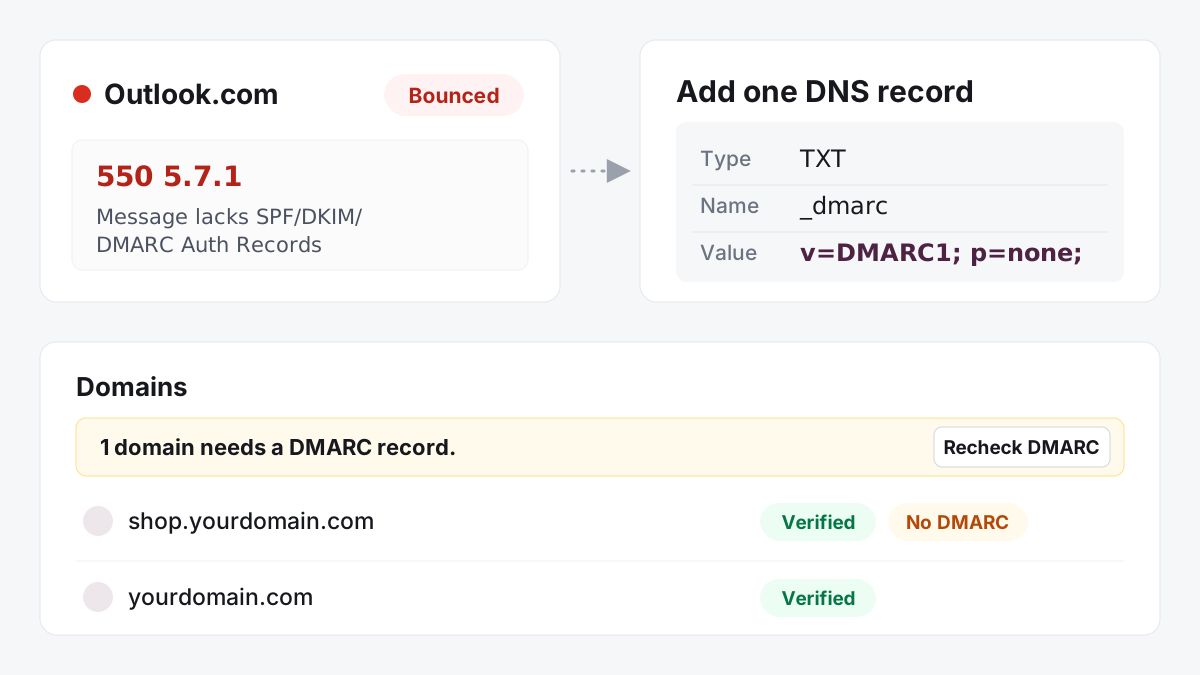
On 5 November 2026, email to Outlook.com, Hotmail, Live and MSN addresses started bouncing for domains that had DKIM and SPF set up correctly. Microsoft made no announcement. The bounce looks like this:
550 5.7.1 Message rejected: Message lacks SPF/DKIM/DMARC Auth Records
The message names all three checks, but in the cases we looked at, the missing piece was always the same: the sending domain had no DMARC record. Other mail hosts and Microsoft’s own Q&A forum report the same thing.
What we saw
Within the first day, a few hundred messages sent through toSend came back with this bounce. Almost all of them came from domains with no DMARC record at all. The domains were not new, not bulk senders, and not doing anything wrong. They had simply never added the record, because until now nothing required it.
Three details matter:
- It’s intermittent. Microsoft rejects some messages and accepts others from the same domain. One email that reaches an Outlook inbox doesn’t mean your domain is safe.
- Size doesn’t matter. The sender rules from Gmail and Yahoo (2024) and Microsoft (2025) were aimed at bulk senders. This one hits domains that send a few emails a day.
- SPF and DKIM alone are no longer enough for these addresses. DMARC is the record that ties them to your From address, and Microsoft now wants to see it.
The fix: one record
Add this TXT record wherever your domain’s DNS is hosted:
| Type | Name | Value |
|---|---|---|
| TXT | _dmarc | v=DMARC1; p=none; |
p=none asks receivers to change nothing about how they deliver your email. It just publishes a DMARC policy, which is what Microsoft checks for. You don’t have to watch reports or move to a stricter policy later. Many domains stay on p=none for good.
Check what your domain publishes right now. The checker reads your live DNS and tells you whether the record is there, valid, and the only one:
Two things to avoid:
- Don’t add a second record. If your domain already has a record that starts with
v=DMARC1, keep it. With two, receivers ignore both. - Don’t start with
p=reject. It blocks your own email from any service that isn’t set up for your domain.
If your DNS is on Cloudflare
Most domains on toSend use Cloudflare for DNS, and Cloudflare has a free tool for exactly this: DMARC Management. It adds the record for you and turns the daily DMARC reports into a readable dashboard, so you don’t need a mailbox for reports.
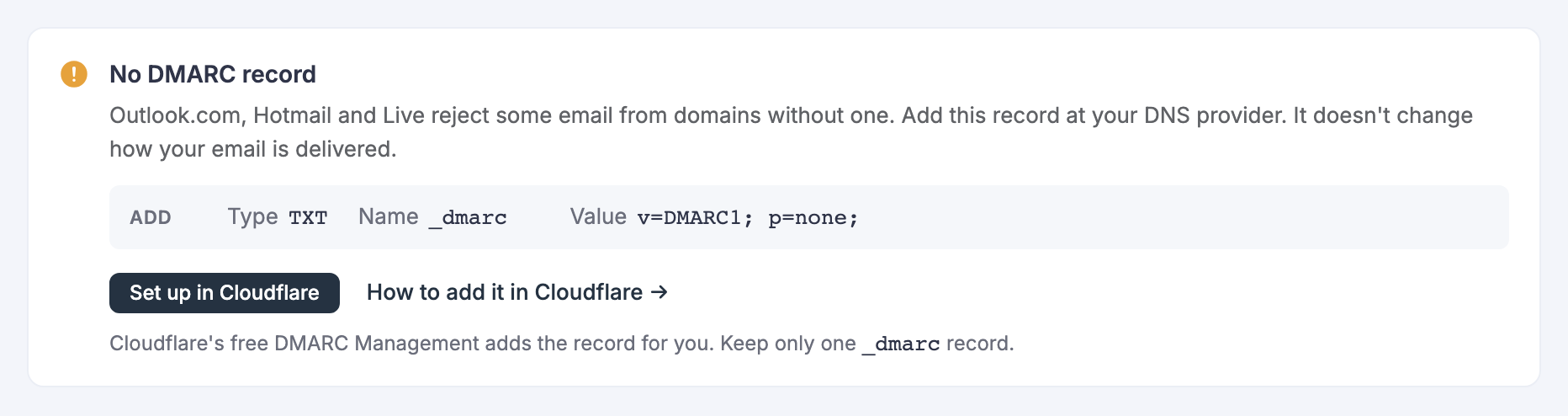
- Open DMARC Management for your domain. In toSend, open the domain. If it has no DMARC record, the domain page shows a Set up in Cloudflare button that opens Cloudflare’s DMARC Management for that exact domain. You can also get there from the Cloudflare dashboard: pick your domain, then Email → DMARC Management.
- Turn it on and follow the steps. Cloudflare creates the
_dmarcrecord. - Check there is only one record. In Cloudflare, open DNS → Records and search for
_dmarc. You should see exactly one TXT record, and it should start withv=DMARC1. If an older one is still there, delete the one you don’t need. - Recheck in toSend. Back on your Domains list, select Recheck DMARC. The badge clears as soon as the record is live, usually within a minute or two on Cloudflare.
Step 3 matters. We have seen a Cloudflare zone end up with a second, broken _dmarc record that started with v=quarantine instead of v=DMARC1. Receivers ignore a record like that, but some tools then treat the pair as an error. toSend flags it as DMARC invalid, so you’ll know.
Prefer to do it by hand? In Cloudflare, go to DNS → Records → Add record, choose TXT, set the name to _dmarc and the content to v=DMARC1; p=none;, and save.
On another provider, our DMARC guide has step-by-step instructions for GoDaddy, Hostinger, Namecheap and OVHcloud, and our free DMARC checker shows what your domain publishes right now.
What toSend does for you
We now check the DMARC record of every verified domain on toSend, so you don’t have to remember which ones need it:
Your Domains list flags it. A domain with no record shows a No DMARC badge; one with a broken record shows DMARC invalid. A bar above the list counts them and has a Recheck DMARC button, so you can confirm a fix right away instead of waiting.
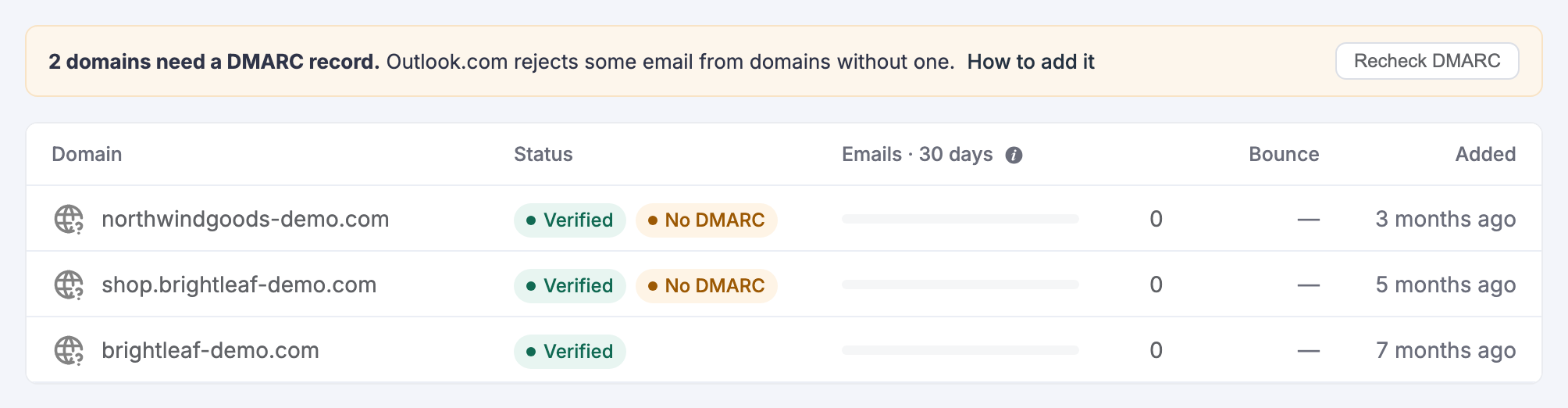
The domain page shows the exact fix. It shows the record to add, with copy buttons. If a record is broken, it says why (two records, a missing p= tag, or a record that doesn’t start with v=DMARC1) and shows what to replace it with. On Cloudflare, the Set up in Cloudflare button opens DMARC Management for that domain. When the record is fine, the section stays out of your way.
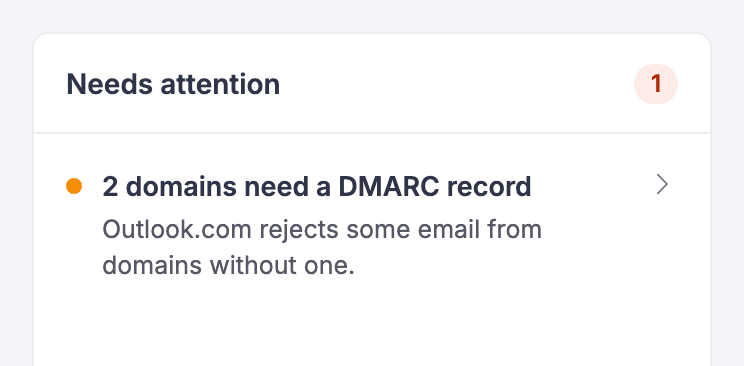
Your dashboard tells you. The Needs attention card lists domains that need a DMARC record. If you manage client workspaces, the main workspace counts their domains too.
We keep checking. Domains with a problem are checked every day and valid ones every week. Opening a domain always checks it live.
None of this blocks sending or verification. DMARC is a recommended record, and your email keeps flowing while you add it.
Anything to change in toSend?
No. toSend signs every email with DKIM for your own domain, and SPF runs on send.yourdomain.com. Both line up with your From address, so once the DMARC record exists, your email passes. Nothing changes in your code or your toSend settings.
If you already got bounces
Outlook returns these as soft bounces, so toSend doesn’t add those addresses to your suppression list for good. A recipient that soft-bounces twice is paused for your workspace for two hours. Once your record is live, which usually takes a few minutes, you can send to the same addresses again.
For the rest of the basics (alignment, permission, bounces, unsubscribe and monitoring), see the email deliverability checklist.